The Best macOS App for Scheduling Recurring AI Tasks
An honest comparison of the tools available for scheduling recurring Claude Code jobs on macOS, what each one handles well and where each falls short.
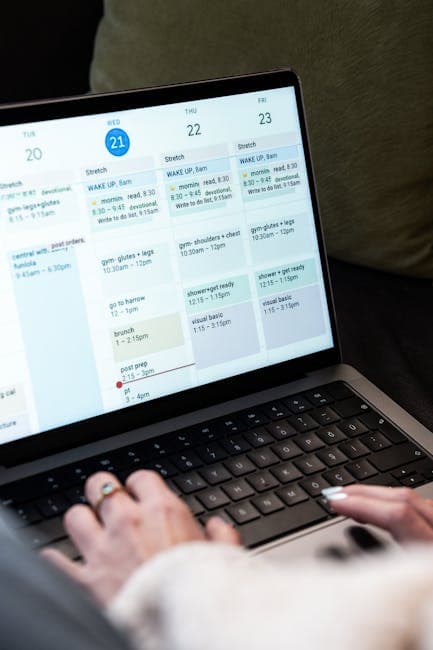
The question comes up in developer forums with increasing frequency: what's actually the best macOS app for scheduling recurring AI tasks? The answers vary wildly, cron, runCLAUDErun, OpenHelm, "just use a shell script", and most comparisons either have an obvious bias or are reviewing tools that have changed significantly in the past few months.
This is a genuine attempt at a useful answer, written in April 2026. We make OpenHelm, so take that as context for how we've tried to present the comparison, with specific trade-offs stated honestly, including our own.
What "Recurring AI Task Scheduling" Actually Requires
Before comparing tools, it helps to be precise about the requirement. "Scheduling recurring AI tasks" sounds simple. In practice, it has specific dimensions that separate useful tools from ones that look functional until they're not.
Reliable unattended execution. The job has to run when scheduled, even if the Mac was restarted, even if the original terminal window is long gone, even if you're asleep. This sounds obvious. It's where most DIY setups fail first.
Silence detection. Claude Code can hang waiting for interactive input in headless mode. A scheduler with no timeout mechanism will let a hung process run for eight hours overnight without producing anything. This is the single most expensive failure mode in AI task scheduling, it's invisible, silent, and compounds costs quickly.
Structured run history. "Did the job run last night?" needs an answer that doesn't require grepping through log files. Status, output, duration, timestamp, the minimum for a useful run record.
Failure handling. What happens when a goal fails? Does the system report it? Can it retry with context from the failure?
| Requirement | cron / launchd | runCLAUDErun | claudecron | OpenHelm |
|---|---|---|---|---|
| Unattended scheduling | ✓ | Partial | ✓ | ✓ |
| Silence detection | ✗ | ✗ | Limited | ✓ (10 min) |
| Structured run history | ✗ | Basic | Basic | Dashboard |
| Failure context in retries | ✗ | ✗ | ✗ | ✓ |
| macOS native integration | ✗ | ✗ | ✗ | ✓ |
| No install required | ✓ | ✗ | ✗ | ✗ |
cron and launchd
The zero-install option. Every Mac has cron and launchd built in. A shell script calling claude -p "goal" and a crontab entry gets you a working recurring job in about ten minutes.
The gaps are worth stating clearly. Without silence detection, a stalled process runs until you manually find and kill it. Without structured logging, "did it work?" means opening a terminal. Without launch-at-login handling, a macOS update or reboot can silently break your schedule.
For a single, low-stakes job on a project you personally check every morning: this is fine and there's no reason to reach for more. The overhead of building reliability on top of cron grows linearly with the number of jobs you're managing. By job three or four, you've effectively reinvented a scheduler.
Best for: Single recurring jobs, terminal-comfortable developers, no budget for additional tooling.
Not ideal for: Multiple projects, overnight automation you can't check regularly.
runCLAUDErun
runCLAUDErun is a CLI-based tool focused on making it easy to define and re-run Claude Code jobs. The ergonomics are cleaner than raw cron, a config file rather than crontab editing, simple job definitions, easier to share across a team.
For recurring scheduling specifically, it's not where the tool shines. runCLAUDErun's strength is repeatability and quick re-runs in an interactive workflow. Scheduling a job at 3am every Tuesday and having it reliably handle silence, failures, and run history isn't the use case it was built for.
"runCLAUDErun handles quick re-runs and simple scheduling well. Where it gets tricky is anything that needs to run reliably unattended overnight, that's a different set of requirements."
>, Developer comment on the claude-code-scheduler GitHub discussion, March 2026
Best for: Repeatable tasks with manual triggering, team-shared job definitions.
Not ideal for: True overnight scheduling where you won't be watching.
claudecron
claudecron builds a structured interface on top of cron, defining jobs in a YAML config rather than editing crontab directly, with basic logging. It's lightweight, inspectable, and requires no desktop app. The source is open and auditable.
For silence detection, claudecron has a configurable timeout that wraps the claude process. It's not as sophisticated as native output-stream monitoring, but it prevents the worst runaway scenarios. Run history is structured log files rather than a dashboard, more organised than raw cron output, but still requires terminal access to review.
The gaps that remain: no self-correction loop (failed runs restart from scratch with no failure context), no crash recovery, no pre-flight checks. Fine for developers who want full control and will actively monitor runs. Less fine for set-and-forget overnight automation.
Best for: Developers who want config-file job management, prefer CLI tooling, and actively check runs.
Not ideal for: Multi-project setups, anyone who won't be monitoring regularly.
OpenHelm
We make this, so full disclosure. OpenHelm is a macOS desktop app, which means it requires a download and installation. It's a commercial product rather than MIT. It only runs on macOS. Those are real constraints.
What those constraints enable:
Active silence detection, the output stream from every Claude Code run is monitored in real time. No output for 10 minutes stops the run and creates a failure record. This requires genuine process management to implement properly, and it's the most important reliability feature for overnight scheduling.
Self-correction loop, failed runs can automatically queue a retry with the failure output appended as context. Claude Code's second pass often succeeds specifically because it knows what went wrong the first time. This doesn't exist in any of the other tools here.
Crash recovery, if OpenHelm or the Mac was force-quit while a job was running, the next startup identifies runs stuck in running state and marks them correctly before the scheduler resumes. No phantom running jobs, no misleading status indicators.
Pre-flight validation, before each run, OpenHelm checks that the project directory exists, the Claude Code binary is accessible, and the job configuration is valid. Failures surface before a Claude Code session even starts, not after it's been running for 20 minutes.
Goal library, saved goals per project, editable in the UI, schedulable individually. The prompt that reliably works lives in OpenHelm's library, not in a shell script you'll forget about.
Best for: Multiple projects and recurring jobs, overnight automation you can't babysit, developers who want reliable background execution.
Not ideal for: Linux users, teams who need open-source licensing, single-job setups that don't need the overhead.
Which One, Then?
The honest answer depends on where you are in the adoption curve.
Start with cron if you're running one recurring job and you're comfortable in the terminal. Add a timeout wrapper (timeout 7200 claude -p "...") to handle silence. You'll learn a lot about how Claude Code behaves in headless mode before adding more infrastructure.
Step up to claudecron if you want config-file job management and CLI-first tooling. Check the commit history, keep an eye on maintenance activity, and contribute back if you run into issues.
Use OpenHelm if you need reliable multi-job scheduling with silence detection, self-correction, and structured run history, and you're happy with a macOS desktop app. The scheduling guide has a detailed walkthrough of setup.
The space is young and moving fast. Tools that are best today may not be in six months. Whatever you choose, the investment in writing well-scoped goals with clear acceptance criteria pays off regardless of which execution layer sits underneath them.
FAQs
Is there a Windows or Linux equivalent?
The open-source CLI tools (claudecron, runCLAUDErun) run cross-platform. OpenHelm is macOS-only. For Linux servers, cron or systemd timers with a wrapper script is the current state of the art.
How much does it cost to run recurring AI tasks overnight?
It varies significantly with task complexity and session length. A typical dependency audit or documentation sweep runs 15–45 minutes and costs roughly £0.50–£2.00 at current Claude Sonnet pricing. A poorly scoped goal that loops can cost 10× that. Silence detection and well-scoped goals are the two levers that control cost.
Can I run Claude Code tasks on a schedule without paying for an additional tool?
Yes, cron and launchd are free and built into macOS. The cost of rolling your own scheduler is time and maintenance overhead, not money. OpenHelm has a free tier; check the pricing page for current details.
What's the best way to test a recurring task setup before trusting it overnight?
Run the goal manually first with claude --print "..." in a terminal. Once you're confident in the prompt, schedule it at a time you can observe, a weekday afternoon rather than overnight. Check the run history, review the output, adjust if needed, and then move it to overnight scheduling once you trust it. The overnight automation guide has more on building that review habit.
More from the blog
How to Set Up Claude Code on a VPS: A Complete Guide
Claude Code VPS setup, step by step: provisioning, authentication, tmux vs systemd, security, and an honest look at when a VPS beats running locally.
Claude Code Agent Teams: How to Run Them on a Schedule
Claude Code Agent Teams runs up to 10 parallel Claude instances against one task list. What it is, how it works, and how to schedule runs.
Stop doing the work around the work
OpenHelm connects to your tools, reads the context, and does the steps, so you sign off on the result instead of producing it. See how it covers an entire role’s weekly workload, check the pricing, or run it yourself with the free local app.