How to Set Up Claude Code on a VPS: A Complete Guide
Claude Code VPS setup, step by step: provisioning, authentication, tmux vs systemd, security, and an honest look at when a VPS beats running locally.
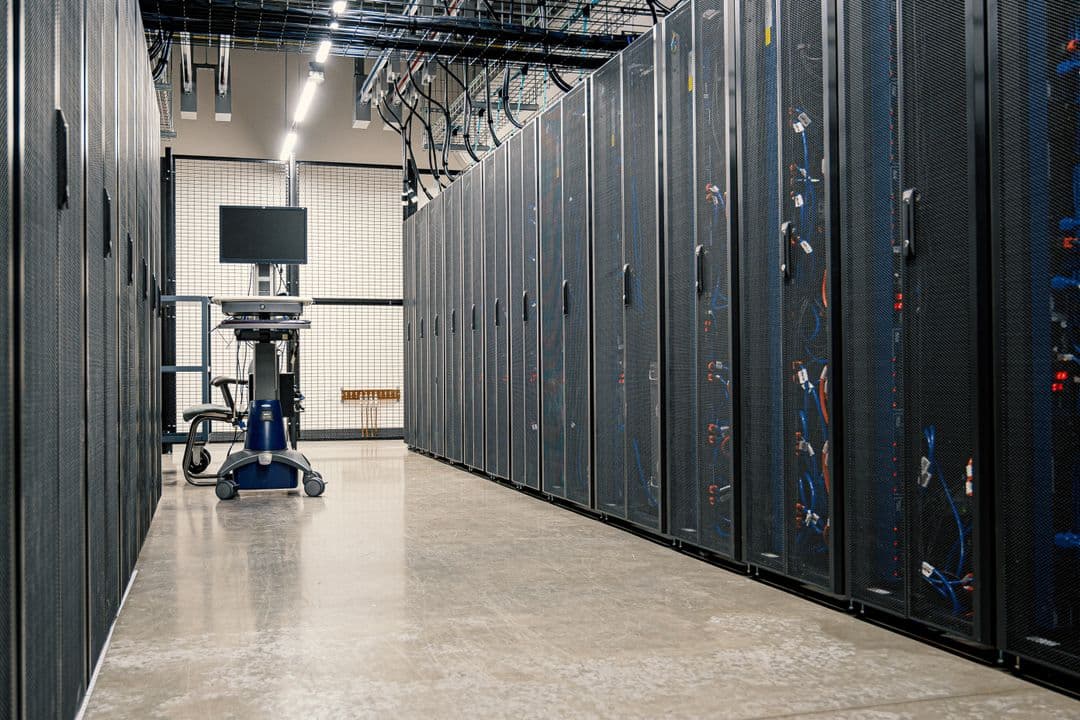
Your laptop goes to sleep. Your Wi-Fi drops mid-session. You close the lid to catch a train and the Claude Code job you kicked off twenty minutes ago just, stops. If you've hit this enough times, you've probably typed "claude code vps setup" into Google at 11pm, looking for a way to give Claude Code a home that doesn't depend on your laptop staying awake.
This guide walks through the whole process: picking a box, installing Claude Code on it, keeping it running after you disconnect, and locking it down properly. By the end you'll have a Linux server that runs Claude Code jobs whether your laptop is open, closed, or three time zones away.
Why Run Claude Code on a VPS
A Virtual Private Server (VPS) is a slice of a physical machine in a data centre, rented by the month, that stays powered on regardless of what your own computer is doing. For Claude Code, that solves a specific problem: unattended execution.
If you're running one-off sessions where you sit and watch the output, your laptop is fine. But the moment you want something to run overnight, or on a schedule, or for six hours while you're in meetings, you need a machine that doesn't sleep, doesn't lose its network connection, and doesn't get closed at 5pm. A handful of VPS providers, Hostodo and Virtua.Cloud among them, now market plans explicitly aimed at exactly this: developers who want a persistent, always-on host for Claude Code and similar agentic tools.
Key Takeaways
- A VPS gives Claude Code a persistent host that survives your laptop closing, sleeping, or losing signal.
- Budget roughly $4–8 a month (around £3–6) for a basic instance that's more than capable of running Claude Code.
tmuxkeeps a session alive for casual use; asystemdservice is the more durable option for anything you'll run repeatedly.- Non-interactive authentication, a locked-down SSH configuration, and a non-root user are non-negotiable if the box is going to run unattended.
- A raw VPS setup gives you none of OpenHelm's silence detection or self-correction, you're building that resilience yourself, or doing without it.
Before You Start: What You'll Need
- A Claude Code subscription or Anthropic API access (Claude Code authenticates the same way whether it's running on your laptop or a server)
- An SSH key pair, don't rely on password login for a machine you're leaving unattended
- Basic comfort with a Linux terminal, you don't need to be an administrator, but you should know your way around
cd,apt, and a text editor - About thirty minutes for the initial setup, longer if you're new to systemd
Step 1: Choose and Provision a VPS
For Claude Code, you don't need much horsepower. Claude Code itself is lightweight, most of the actual computation happens on Anthropic's servers, so your VPS just needs enough CPU and memory to run the CLI, your project's tooling (Node, Python, whatever your codebase needs), and any test suites Claude Code will execute.
A 2 vCPU, 4GB RAM instance is comfortable for most projects. Hetzner's CX22 and DigitalOcean's Basic Droplet both sit in the $4–8/month range (roughly £3–6) and handle this workload without complaint. If your project runs a heavier build or a large test suite, step up to 8GB of RAM rather than more CPU, memory is usually the bottleneck before compute is.
Pick a region close to you if latency to the console matters, though for background jobs it rarely does. Choose an Ubuntu LTS image (22.04 or 24.04), it's the distribution with the widest documentation coverage for exactly this kind of setup.
Step 2: Install Node.js and Claude Code
SSH into your new box and update the package list before installing anything:
ssh root@your-server-ip
apt update && apt upgrade -y
Claude Code requires a reasonably recent Node.js. Install it via NodeSource rather than the distro's default repository, Ubuntu's default Node packages lag behind:
curl -fsSL https://deb.nodesource.com/setup_20.x | bash -
apt install -y nodejs
node --version
With Node in place, install Claude Code globally:
npm install -g @anthropic-ai/claude-codeCheck the official Claude Code documentation for the current installation command, Anthropic ships updates to Claude Code regularly and the package name has shifted before.
Step 3: Authenticate Claude Code Non-Interactively
This is the step people get stuck on. On your laptop, Claude Code authentication opens a browser window. A headless VPS doesn't have one.
Run claude for the first time and it'll print a URL and a code rather than opening a browser automatically. Copy that URL into a browser on your own machine, complete the login there, and the CLI on the server will pick up the session once it's authorised. Alternatively, if you're using API-key access rather than a Claude subscription, set the key as an environment variable in your shell profile so every session picks it up automatically:
echo 'export ANTHROPIC_API_KEY="your-key-here"' >> ~/.bashrc
source ~/.bashrc
Never commit that key to a repository the agent has write access to. It sounds obvious until it's 2am and you're moving fast.
Step 4: Keep Sessions Alive with tmux or systemd
Close your SSH connection without one of these and whatever Claude Code was doing dies with it, the process is a child of your terminal session and gets killed when that session ends.
Using tmux
tmux is the fast option. It creates a terminal session that keeps running after you disconnect, and you can reattach to check on it whenever you like.
apt install -y tmux
tmux new -s claude-session
claude "your task here"
Press Ctrl+B then D to detach, the session and everything running inside it keeps going. Reconnect later with tmux attach -t claude-session. This is fine for a single job you'll check on manually. It's not a scheduling system, and if the server reboots, the session is gone.
Using a systemd Service (More Robust)
For anything you'll run repeatedly, a systemd service is the sturdier choice. It restarts automatically if the process crashes, starts on boot, and logs to the systemd journal rather than a terminal buffer you'll lose.
Create a service file:
nano /etc/systemd/system/claude-job.service[Unit]
Description=Claude Code scheduled job
After=network.target
[Service]
Type=simple
User=deploy
WorkingDirectory=/home/deploy/project
ExecStart=/usr/bin/claude --print "run the daily maintenance task"
Restart=on-failure
[Install]
WantedBy=multi-user.targetEnable and start it:
systemctl daemon-reload
systemctl enable claude-job
systemctl start claude-job
For anything on a recurring schedule, pair this with a systemd timer rather than triggering the service directly, timers are more explicit about intervals than cron and log cleanly to the same journal.
Step 5: Scheduling and Monitoring Jobs
Once Claude Code runs reliably by hand, the next question is how it runs without you. On a Linux VPS, your two realistic options are cron (simple, ubiquitous, a bit crude) or systemd timers (more structure, native logging, easier to debug at 3am when a job didn't fire).
This is also the point where it's worth being honest about what a raw VPS setup doesn't give you. There's no silence detection watching the output stream for a hung process. There's no dashboard showing you last night's run at a glance, you're reading log files. And if a job fails, nothing automatically retries it with the failure context passed back to Claude Code, you're writing that logic yourself, or you're not getting it at all. OpenHelm, our own product, handles all three of those on macOS. It doesn't run on a Linux VPS (it's a native macOS app), so if you're set on the VPS route, budget time to build this resilience yourself.
Security Essentials for a Claude Code VPS
An unattended agent with shell access to a server is a meaningfully different risk profile to a laptop you're sitting in front of. A few things matter more than usual here:
Disable password authentication entirely. SSH keys only. Edit /etc/ssh/sshd_config, set PasswordAuthentication no, and restart the SSH service.
Create a non-root user for Claude Code to run as. Running an autonomous agent as root means a mistake, yours or the model's, has no ceiling. Create a limited user, grant it sudo only where genuinely needed, and run Claude Code jobs under that account.
Firewall everything except what you use. ufw (Uncomplicated Firewall) takes two minutes to configure and closes off every port except SSH and whatever your project actually needs exposed.
Keep credentials out of the repository. If Claude Code has write access to a git repo, treat every file in that repo as something it might read, summarise, or accidentally expose in a commit message. Environment variables and a properly ignored .env file, not hardcoded keys.
For a fuller checklist, OWASP's Top Ten project covers the general server-hardening ground this only skims.
Common Pitfalls
Silent cost creep. A hung Claude Code process on a VPS doesn't stop itself. Without something watching for it, a stuck job can run for hours, and every one of those hours is API spend against nothing. Wrap long-running jobs in a timeout command as a crude backstop:
timeout 3600 claude --print "your task" || echo "Job exceeded 1 hour, check logs"Forgotten background processes. It's easy to leave a tmux session running from a test three weeks ago and forget about it. Check tmux ls and systemctl list-units periodically, orphaned jobs cost money quietly.
Assuming the VPS is set-and-forget. It isn't. Ubuntu needs security updates. Node needs the odd version bump. A VPS is infrastructure you now own, which is exactly the trade-off this whole approach makes.
"I ran Claude Code on a $5 DigitalOcean box for about two months before I moved to something more managed. It worked, but I was the monitoring system. Every failed job was a log file I had to remember to check."
>, Developer in the OpenHelm community Slack, June 2026
VPS vs OpenHelm: Which Should You Choose?
| Self-managed VPS | OpenHelm | |
|---|---|---|
| Platform | Any (Linux) | macOS only |
| Monthly cost | ~$4–8 | Free tier available |
| Setup time | 30–60 minutes | Minutes |
| Silence detection | Build it yourself | Built in (10 min) |
| Self-correction on failure | Build it yourself | Built in |
| Run history dashboard | Log files | Structured dashboard |
| Local file access | N/A, it's remote | Full local filesystem |
| Runs while your laptop is off | Yes | No, needs the Mac awake |
| Maintenance burden | You own the OS | None |
If you're on Linux or Windows and want a persistent host regardless of what your Mac is doing, a VPS is the only option on this list, that's a hard platform constraint, not a preference. If you're on macOS and the appeal of a VPS was really just "something that keeps running when I'm not watching it," OpenHelm gets you there without the systemd files. For a deeper comparison across every credible option, including Anthropic's own cloud Routines, see our full comparison of ways to run Claude Code in the cloud.
FAQ
Do I need a powerful VPS to run Claude Code?
No. Claude Code's actual reasoning happens on Anthropic's infrastructure, not your server. A 2 vCPU / 4GB instance handles most projects comfortably. Scale up RAM, not CPU, if your build or test suite is heavy.
Can I run multiple Claude Code projects on one VPS?
Yes, run each under its own systemd service with its own working directory, or use separate tmux sessions if you're managing things by hand. Just watch total resource usage as you add more.
Is a VPS cheaper than OpenHelm?
On raw subscription cost, usually yes, a basic VPS runs $4–8 a month. But that figure doesn't include your time spent building monitoring, retry logic, and log review that a managed tool like OpenHelm includes out of the box. Whether that trade is worth it depends entirely on how many jobs you're running and how much you value not thinking about it.
What happens if my VPS reboots?
A systemd service with enable set will restart automatically on boot. A bare tmux session won't, it's gone. This is the main practical reason to use systemd over tmux for anything you actually depend on.
Can I combine a VPS with OpenHelm?
Not directly, OpenHelm's scheduling engine runs on macOS and doesn't manage remote Linux processes. Some teams run OpenHelm locally for Mac-based projects and a VPS separately for anything that needs to run on Linux, they're complementary rather than integrated.
Setting up Claude Code on a VPS gives you a genuinely persistent, platform-flexible host, at the cost of becoming the person who maintains it. If that trade doesn't sit right and you're on a Mac, it's worth trying OpenHelm's free local app before you spend an afternoon on server config. And if you want the full picture of every unattended-execution option before deciding, our guide comparing Claude Code cron jobs on desktop vs CLI covers the local side of this same decision in more depth.
More from the blog
Claude Code Agent Teams: How to Run Them on a Schedule
Claude Code Agent Teams runs up to 10 parallel Claude instances against one task list. What it is, how it works, and how to schedule runs.
Run Claude Code in the Cloud: Routines vs VPS vs OpenHelm
An honest comparison of the three real ways to run Claude Code without keeping your laptop open: cloud Routines, a self-managed VPS, and OpenHelm.
Stop doing the work around the work
OpenHelm connects to your tools, reads the context, and does the steps, so you sign off on the result instead of producing it. See how it covers an entire role’s weekly workload, check the pricing, or run it yourself with the free local app.