AI Agent Task Management on macOS: A Practical Guide
How to move from terminal-hovering to genuine background delegation, the options, patterns, and pitfalls for managing AI coding tasks on Mac.
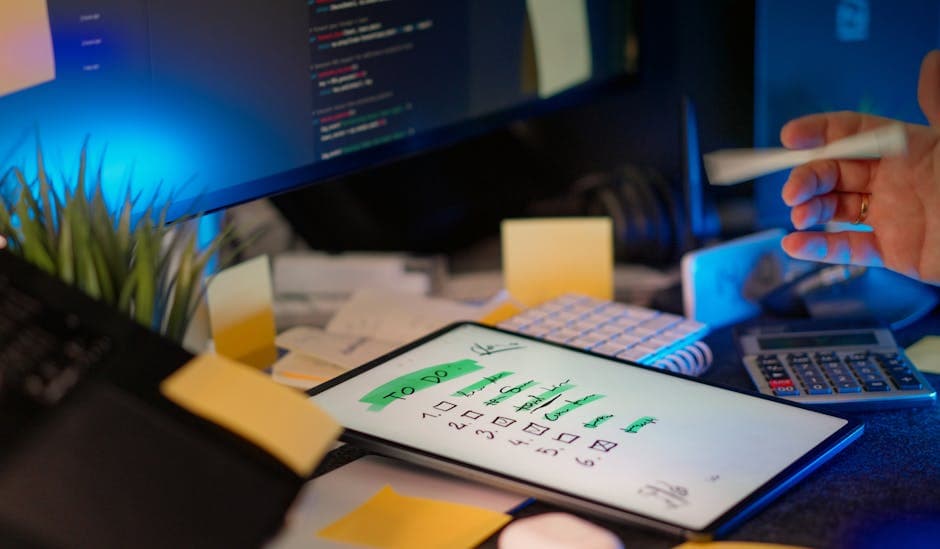
Most developers running Claude Code on macOS have the same setup: a terminal window, a long-running session, and a habit of checking in on it every ten minutes to see if it's still going. That's not task management. That's hovering.
Managing AI coding agent tasks on macOS properly, being able to set multiple goals across different projects, track their status without opening a terminal, and review results in the morning, requires a layer of tooling that doesn't exist out of the box. This guide is about building that layer.
Why macOS Specifically
macOS has become the primary development platform for the majority of AI-assisted coding users. Most Claude Code users are on Macs. But there's a more practical reason this matters beyond market share: local execution.
The alternative to running AI coding agents locally is a cloud-based approach, your code goes to a third-party scheduler, execution happens on their infrastructure, results come back to you. For most development tasks, that means your source code, credentials, and filesystem are touching infrastructure you don't own.
Local execution on macOS means none of that happens. Your code and API keys stay on your machine. The trade-off is that you need to manage the execution environment yourself, and macOS has a few specifics, sleep management, Full Disk Access for cron, launchd quirks, that trip people up if they haven't encountered them before.
The Four Patterns for AI Coding Agent Task Management
There's a spectrum of approaches, from lightest-weight to most structured.
Pattern 1: Terminal sessions with /loop
The built-in iteration primitive. For a task you're actively watching:
/loop 15m Check if any tests are failing and fix the ones with obvious causesThis re-runs the prompt every 15 minutes in an active Claude Code session. It's the right approach when you're at the desk and the task is exploratory, you want to see the iterations and step in if the direction drifts.
It's categorically the wrong approach for background task management. The loop terminates when you close the terminal, there's no persistent history, and you can't queue multiple goals across different projects.
Pattern 2: Shell scripts via cron or launchd
The DIY path. Write a shell script calling claude -p "your goal", schedule it with crontab or a launchd plist, pipe output to a log file.
This works for a single, simple task. The limits emerge quickly at scale:
- cron on modern macOS requires Full Disk Access, without it, the process can't reach files in your home directory
- No silence detection, a stalled Claude Code process keeps running indefinitely, accumulating cost
- Flat log files, "did last night's job succeed?" means grepping through a directory of timestamped files
- No cross-project coordination, three simultaneous jobs have no awareness of each other's state or resource usage
For one recurring job on a project you check every morning: cron is fine. For anyone managing four or five goals across multiple projects, the overhead compounds quickly.
Pattern 3: Purpose-built task management with OpenHelm
OpenHelm is a macOS desktop app built specifically for this. It lives in the menu bar and adds a structured layer over Claude Code execution that the other approaches lack.
From a task management perspective, the meaningful differences:
Goal library. Each project has a set of saved goals you can trigger manually or schedule on a cron expression. No editing a crontab file to update a prompt, just edit the goal in the UI. Your best prompts don't live in a shell script you'll forget about.
Status dashboard. Every job run produces a timestamped record with status (queued, running, succeeded, failed), full output transcript, and duration. The question "what did Claude Code do overnight?" has a one-click answer.
Silence detection. If a Claude Code process produces no output for 10 minutes, OpenHelm flags the run and stops it. This is the most valuable single feature for background task management, it directly prevents the failure mode where a stalled process runs all night spending tokens and producing nothing.
macOS integration. Launch at login, system notification on job completion, menu bar indicator for running or failed state. No terminal window required to know what's happening.
Pattern 4: Hybrid, OpenHelm for background, GitHub Actions for CI
For teams using Claude Code as part of a broader CI/CD workflow, the cleanest architecture separates concerns: GitHub Actions handles pipeline-triggered automation (PR review, post-merge checks), and OpenHelm handles scheduled background maintenance that runs independently of git activity. The Claude Code + GitHub Actions integration guide covers the CI side in detail.
Building a Task Management System That Works
Regardless of which pattern you choose, a few practices make AI agent task management reliably useful.
Namespace your goals by project. Naming conventions like [project-name]: task description make it immediately obvious which goal runs on which codebase, especially once you have more than three or four scheduled jobs.
Write goals to a shared prompt library. The prompts that reliably work, the dependency update goal that runs the tests correctly, the doc sweep that knows your documentation format, are worth preserving. Keep them in a claude-goals/ directory in each project root, or in OpenHelm's goal library, rather than only in your memory.
Set a weekly review habit. Ten minutes every Monday looking at the run history from the previous week. Which jobs succeeded consistently? Which failed? Are there patterns? This is how you calibrate, understanding which goals run reliably versus which need tightening improves your prompts faster than anything else.
Start with low-risk tasks. Linting fixes, documentation updates, minor dependency patches. These are reversible, reviewable, and give you a genuine feel for how Claude Code behaves in background execution before you schedule anything that touches core systems.
Common Pitfalls on macOS
A few platform-specific issues come up often enough to be worth naming explicitly.
Sleep management. If your Mac goes to sleep, scheduled jobs don't fire. On a MacBook on battery, this is the most common cause of missed scheduled runs. System Settings → Battery → Options → "Prevent automatic sleeping on power adapter when the display is off" handles it for desk use. For anything more reliable, a Mac mini or Mac Studio on always-on power is the practical choice.
Full Disk Access for cron. Modern macOS restricts access to home directory contents from processes launched by cron unless Full Disk Access is granted. OpenHelm handles this at install time; raw cron scripts require you to add Terminal (or your shell binary) to the Full Disk Access list manually in System Settings → Privacy & Security.
API key access in headless execution. Claude Code needs your Anthropic API key available at launch. If you're running headless via cron, the key needs to be in the environment at job launch time, either as an exported variable in the shell script or via a .env file the script sources. Interactive Keychain prompts won't work in headless execution.
What Good AI Coding Agent Task Management Looks Like
The underlying goal is a working rhythm that doesn't require you to be present. You write a goal, schedule it, and the next morning you read the results. You review what worked, update what didn't, and add new goals as you identify deferred work worth delegating.
Developers who get this working consistently describe the same shift: they stop treating their backlog as a list of things to find time for and start treating it as a queue for overnight jobs. The tasks don't go away, they just get done by something else, while you sleep.
| Approach | Best for | Main limitation |
|---|---|---|
| Terminal /loop | Exploratory, interactive tasks | Session-bound; no background execution |
| cron / launchd | Single recurring job | No silence detection; no structured history |
| claudecron | Config-managed CLI jobs | Limited failure handling |
| OpenHelm | Multi-project, reliable background execution | macOS only; requires download |
The infrastructure to make background AI task management reliable exists. For anyone running more than one or two Claude Code goals a week, the investment in setting it up properly pays off quickly.
FAQs
Do I need a Mac to run Claude Code background jobs?
Claude Code runs on macOS and Linux. The macOS-specific angle here is mainly about native integration features and sleep management. OpenHelm is macOS-only; the cron/shell script approach works on Linux too.
How many goals can I run simultaneously?
There's no hard limit from Claude Code, but running multiple large sessions in parallel significantly increases API costs and can hit rate limits. In practice, 2–3 concurrent jobs is a sensible ceiling for most individual developers.
Will Claude Code modify files I didn't ask it to touch?
This is the most common concern with background task management. The answer is: only if your goal is underspecified. Goals with explicit scope limits ("only modify files in src/utils/") and explicit exclusions ("don't change the public API interface") significantly reduce unwanted changes. Reviewing the git diff before committing is the safety net.
What happens if Claude Code gets stuck overnight?
With a raw cron script: it keeps running, consuming tokens, until you find and kill it manually in the morning. With OpenHelm: silence detection kicks in after 10 minutes of no output, the run is flagged and stopped, and you have a detailed failure record to review. The Claude Code background jobs guide goes into more detail on this specific failure mode.
More from the blog
How to Set Up Claude Code on a VPS: A Complete Guide
Claude Code VPS setup, step by step: provisioning, authentication, tmux vs systemd, security, and an honest look at when a VPS beats running locally.
Claude Code Agent Teams: How to Run Them on a Schedule
Claude Code Agent Teams runs up to 10 parallel Claude instances against one task list. What it is, how it works, and how to schedule runs.
Stop doing the work around the work
OpenHelm connects to your tools, reads the context, and does the steps, so you sign off on the result instead of producing it. See how it covers an entire role’s weekly workload, check the pricing, or run it yourself with the free local app.